
Windows 10 was end of official support last year. And now, Windows 11 is the most popular desktop OS in 2026. For safety reason, it is the right time to upgrade to Windows 11 now. This is extremely important for new build PCs, which does not come with an operating system by default.
Source: StatCounter Desktop Windows Version Market Share Worldwide
The PC owner has to download Windows 11 ISO and make a bootable USB for Windows 11 install. It could be a simple task but Microsoft only holds download for latest version. If you plan to download an old version of Windows 11, 23H2 for example, it takes time for find a valid and safe place to do that. And this is the reason why I prepared for this post.
What is the System ISO Image and How it Works
An system ISO image, Windows 11 for example, is a compressed folder of the entire operating system. It contains all necessary parts of an acting OS, including the kernel, services, device drivers and system apps. Once you get a legit copy of the ISO image file, you can making a bootable USB drive or CD/DVD from the image file. After that, you can use the install media for OS install, system repair and recovery.
For Windows 11 ISO image download, Microsoft is the only official resource. Usually, Microsoft provides direct download link in Windows 11 product page as well as API for developers.
The Potential Risk for Download from Unknown Resources
Microsoft is the official place for Windows 11 ISO download but it is not the only choice. In theory, anyone who knows how to create a bootable ISO image can make changes of the official ISO, the most noticeable example is the Windows PE, which is used for system repair and recovery. Hence, safety is a very big concern when using an system image.
The hackers or malicious developers could inject adware, bundleware, malware even virus into the system image. The OS could be hijacked or preloaded with dangerous staff when using this ISO file for system install. We could see a lot of such new reports in the past. This is why it is so important to download Windows 11 from a reputable and safe sources.
Safe Places to Download Windows 11 ISO Image
As a veteran in IT field, I am going to share four safe places you can download Windows 11 ISO images. I made dozens of bootable USB in the past five years and the ISO files downloaded from the following are safe. No virus and malware report after install.
#1 Microsoft (Windows 11 26H2 Only)
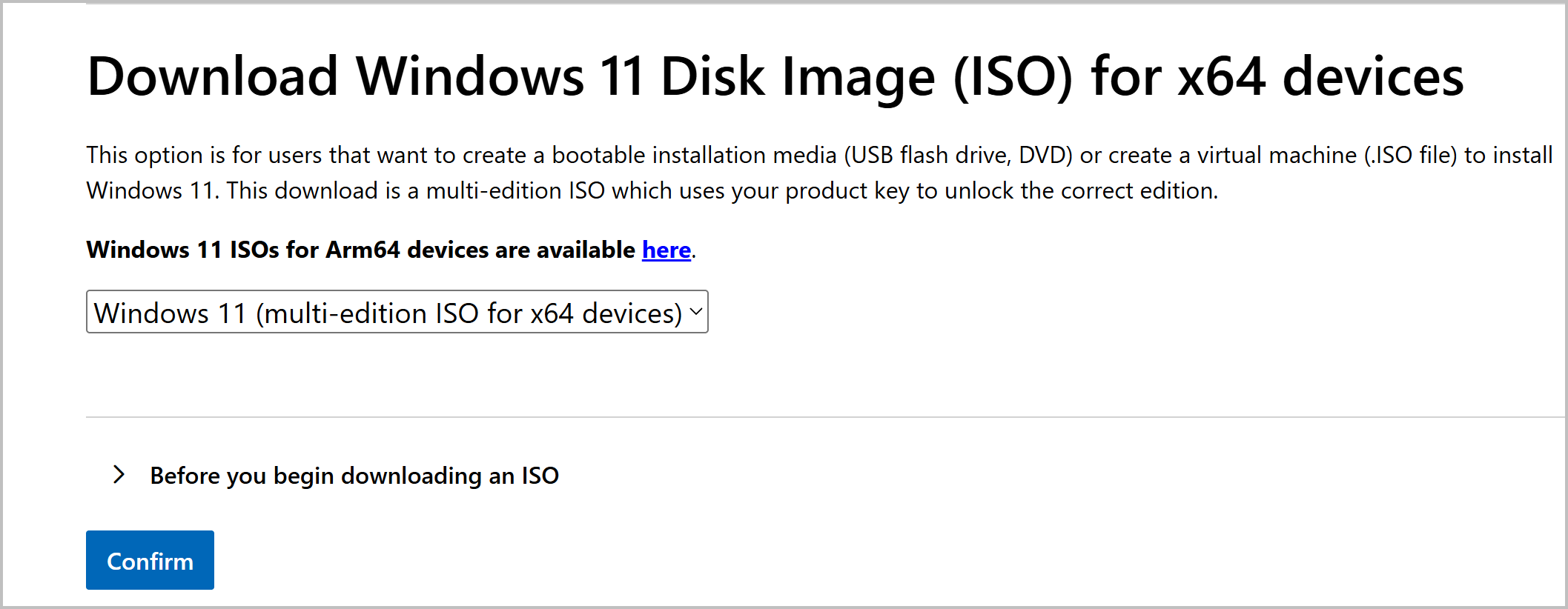
Windows 11 is developed and actively maintained by Microsoft. So it is our first choice when it comes to downloading Windows 11 ISO. This is the 100% safe and reliable choice without any double. You can now download the latest version of Windows 11 ISO from here:
https://www.microsoft.com/en-us/software-download/windows11
The problem is that the download request might be blocked or the download speed is too slow. For these unexpected circumstances, you should opt for the other alternatives shared in this post.
#2 Archive.org
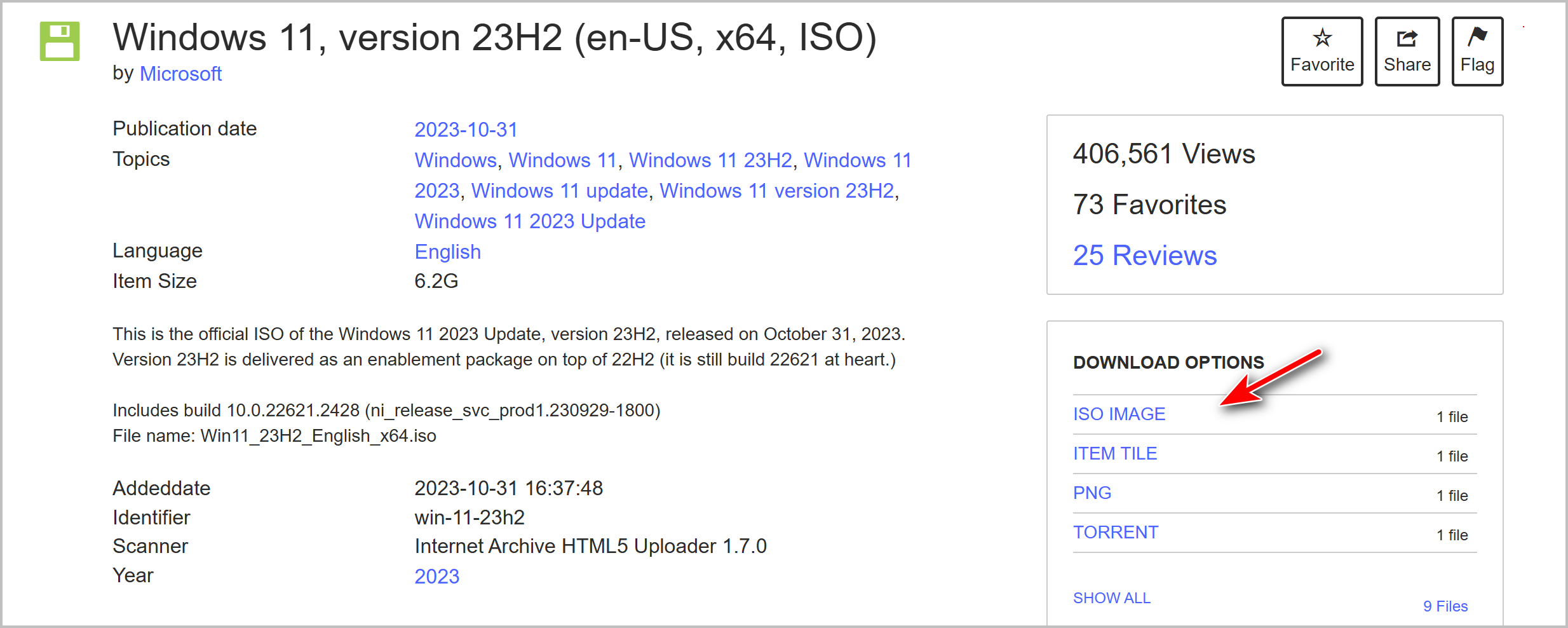
Archive.org is an non-profit and independent web service for hosting software download, music, movies and archived web pages. It is known as an Internet digital library. It was founded on 1996 and has been working good since that. Just search the ISO name and you will get the direct download link at the right side of the page.
#3 ISOMate Pro App
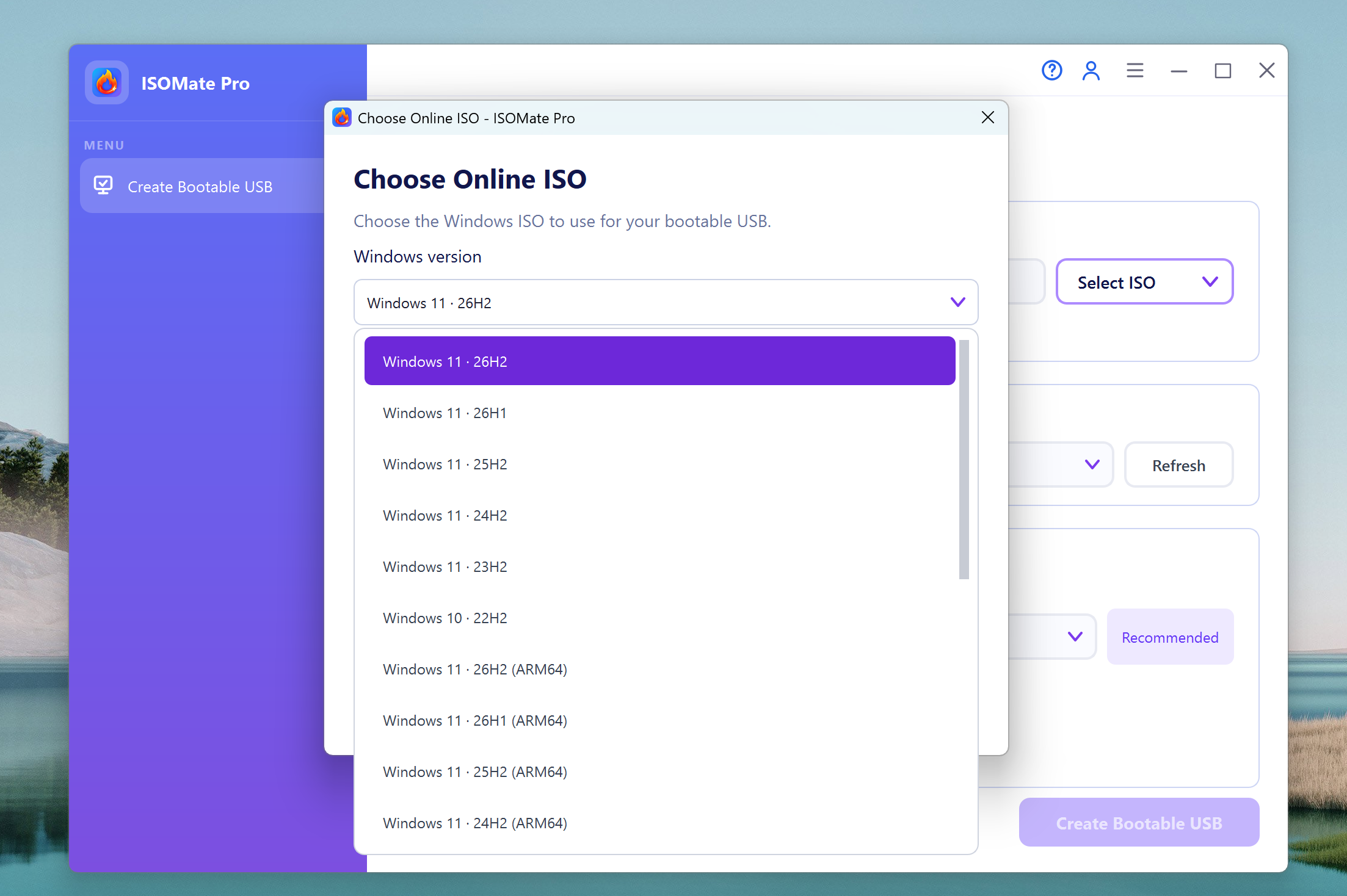
Unlike the Microsoft and Archive.org as an online download option, ISOMate Pro is a dedicated ISO image downloader app that supports all versions of Windows 11, Windows 10, Windows 8, Windows 7 and Windows XP. The ISO images were downloaded from Microsoft server and already verified by SHA2. The app is also capable of making a bootable USB from the downloaded ISO. This is super user friendly. In addition, The download speed is much faster than online services and it is easy to find and get all kind of Windows ISO images at one place.
#4 Os.Click
Os.click is an emerging ISO downloading portal for Windows and Linux ISO. It is now favored by thousands of users and has very good reputation based on the user reviews. The steps are straightforward and the instructions are also shown when the download link is presented. The only drawback is the slow download speed and you have to pack the ISO image by yourself for non-English ISO images.
#5 UUP dump

UUP dump is a popular places for users who want to try the latest beta and preview builds without being enrolled with Windows Insider Programs. It only supports Windows 11, Windows 10 and Windows Server. In fact, it does not offer direct download for Windows ISO. Instead, it runs a script on your computer and pack the ISO images after downloading all necessary files from Microsoft remote server. The UI is quite challenging for begingers and the time is much more longer than previous download options.
Direct Download Links for Windows 11 ISO (All Versions)
If you don’t want to take extra steps for Windows 11 ISO download, then click the direct download link of the following. The download will start automatically and the ISO files are complete and verified by SHA2. 100% Clean and safe!
Windows 11 26H2 (8.4G):
https://www.microsoft.com/en-us/software-download/windows11
Windows 11 25H2 (5.9G):
Windows 11 24H2 (5.4G):
https://archive.org/download/windows-11-24h2-iso_202501/Win11_24H2_English_x64.iso
Windows 11 23H2 (6.2G):
https://archive.org/download/win-11-23h2/Win11_23H2_English_x64.iso
Windows 11 22H2 (4.6G):
https://archive.org/download/windows-11-22-h-2_20240818/Windows%2011%2022H2.iso
Windows 11 21H2 (5.1G):
https://archive.org/download/win-11-english-x-64_202111/Win11_English_x64.iso
Windows 11 2024 LTSC (4.8G):
Windows 11 IoT Enterprise LTSC (4.8G):
Windows 11 Download FAQs
Have questions about Windows 11 ISO image download, please check out the FAQs for help.
Q1: How can I verify and check the downloaded ISO image?
Go and find the CHECKSUM of the ISO image. This is usually presented at the download page. After that, go and verify the download via this command on Windows.
Get-FileHash .\windows-11-image.iso -Algorithm SHA256
Q2: What is the safest place to download Windows 11 ISO?
Microsoft website is the best. For ISO images no longer hosted on the download page, you can go with Archive or ISOMate Pro app.
Q3: How can I create a bootable Windows 11 USB after download?
The official Media Creation Tool, Rufus or the ISOMate Pro app.
Q4: Which Windows 11 version should I use?
For model computers that meet all Windows 11 system requirements, Windows 11 25H2 is the best to go as the first version of Windows 11 26H2 still has many bugs. For old computers that CPU does not support SSE 4.2, 23H2 is the proper option.
Q5: Where to get non-English version of Windows 11 ISO?
ISOMate Pro is the best candidate as it has built-in features for different languages. You can also search the language ISO from the archive website or os.click.